# Get the most out of the event
> A checklist for attendees, before, during and after the event, to plan your days, meet the right people and never miss an update in the event app.
Source: https://help.highbar.ai/docs/attendees/get-the-most-out-of-the-event
Audience: attendees using the event app
The event app is your schedule, your contact book and your guide to the event. Ten minutes of setup before you arrive makes the event much easier. This checklist covers what to do, and when.
Your event may not use every feature below: the organizer chooses what's turned on.
## Find your way around
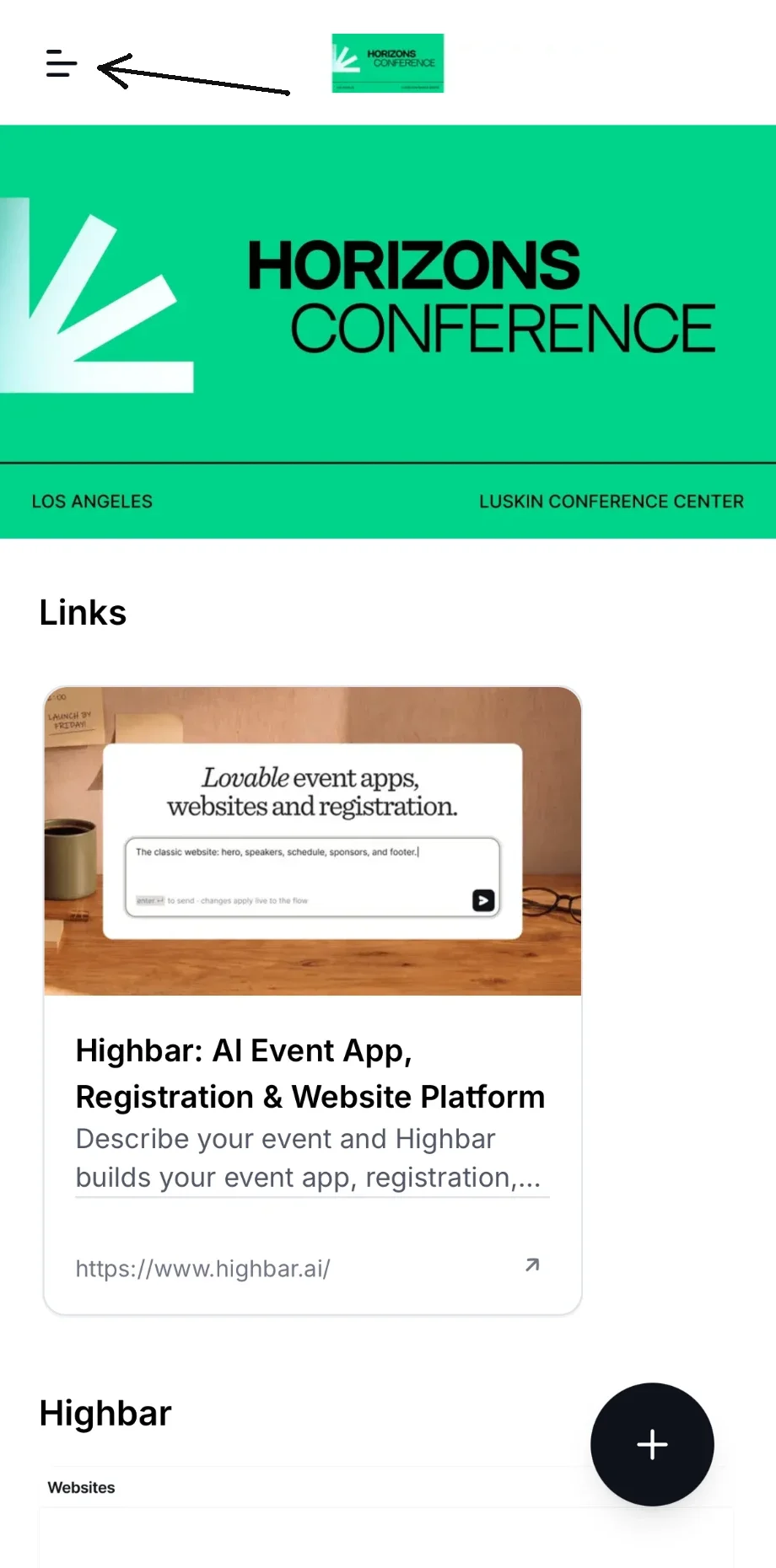
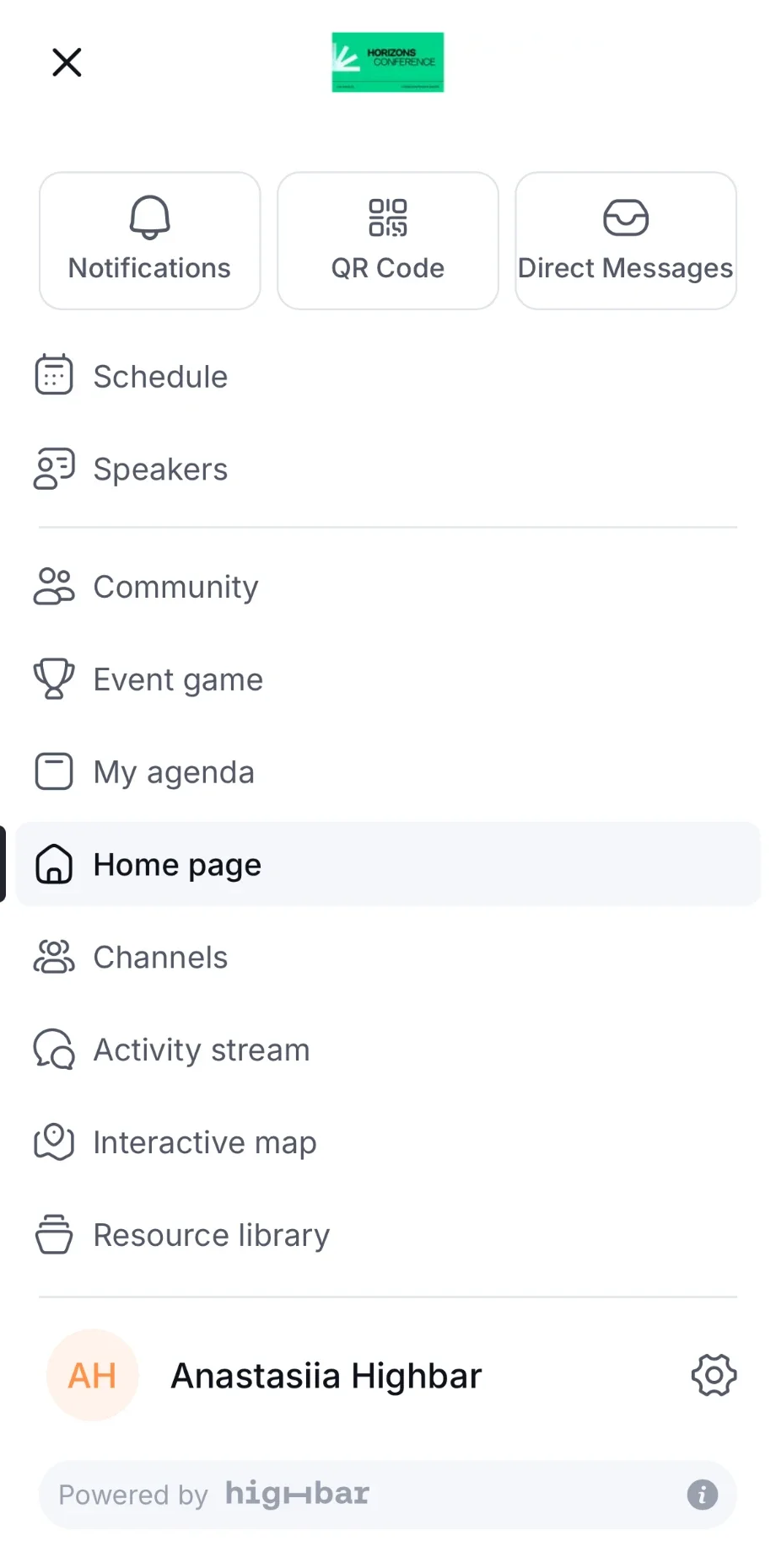
Everything in the app is in the menu. To open it, tap the menu button at the top left of any page.
 The menu lists the event's pages, such as **Schedule**, **Speakers**, **Community** and **My agenda**. **Notifications**, **QR Code** and **Direct Messages** are at the top, and your name is at the bottom: tap it to open your settings. The organizer chooses which pages your event has and what they're called.
 ## Before the event
- **Log in and install the app.** Log in with the email you registered with, then add the app to your home screen. It opens faster, and on iPhone it's the only way to get notifications. See [Logging in](https://help.highbar.ai/docs/attendees/logging-in) and [Installing the app](https://help.highbar.ai/docs/attendees/installing-the-app).
- **Turn on notifications.** Room changes, meeting requests and messages reach you even when the app is closed. See [Notifications](https://help.highbar.ai/docs/attendees/notifications).
- **Complete your profile.** Add a photo, your job title and company, a headline and a short bio, plus your interests and skills. People are more likely to reply to a complete profile, and your matches get better. See [Complete your profile](https://help.highbar.ai/docs/attendees/logging-in#complete-your-profile).
- **Plan your days.** Browse the **Schedule**, save the sessions you want, and register early for sessions with limited places. See [Schedule and My agenda](https://help.highbar.ai/docs/attendees/schedule-and-agenda).
- **Set a goal.** Tell the app what you want from the event, such as meeting potential partners or learning about a topic, and check **Curated for you** for people worth meeting. See [Get matched with people](https://help.highbar.ai/docs/attendees/community-and-networking#get-matched-with-people).
- **Book meetings early.** Good times and places fill up. Request meetings with the people you most want to see, and add a short message saying why. See [Meetings](https://help.highbar.ai/docs/attendees/meetings).
## At the event
- **Start each day in My agenda.** It shows your sessions and meetings for the day, in order.
- **Answer meeting requests quickly.** Accept, suggest another time, or decline, so the other person can plan.
- **Ask the AI Concierge.** For the Wi-Fi password, where a room is, or what's on next, just ask. See [AI Concierge](https://help.highbar.ai/docs/attendees/ai-concierge).
- **Exchange contacts by QR code.** Scan the code of the people you meet and add a note about your conversation while you remember it. See [Exchange contacts](https://help.highbar.ai/docs/attendees/community-and-networking#exchange-contacts).
- **Take part.** Rate the sessions you attend, visit sponsor booths, and join in the event's [activity stream](https://help.highbar.ai/docs/attendees/activity-stream) and [game](https://help.highbar.ai/docs/attendees/event-game), if it has them.
## After the event
- **Follow up.** Your contacts, meetings and saved people stay under **Community** > **Saved**, with your notes. Message the people you met while the conversation is fresh.
- **Leave feedback.** Rate your sessions and meetings if you haven't already. It helps the organizer plan the next event.
- **Catch up.** If the organizer publishes them, session pages get a **Recap** tab with a summary and key takeaways.
Want this on paper? Download the one-page [attendee quick start guide](https://help.highbar.ai/downloads/attendee-quick-start-guide.pdf) (PDF).
Stuck? See [Troubleshooting](https://help.highbar.ai/docs/attendees/troubleshooting).