Speaker performance
See how attendees engaged with each speaker, with profile views, reach, bookmarks, session views and ratings.
Speaker performance shows how attendees engaged with every speaker: who opened their profile, who bookmarked them, how their sessions did and, if you collect them, how attendees rated them.
You'll find Speaker performance in the event sidebar after launch, under Analytics. All numbers cover the whole event so far and can be up to a minute behind.
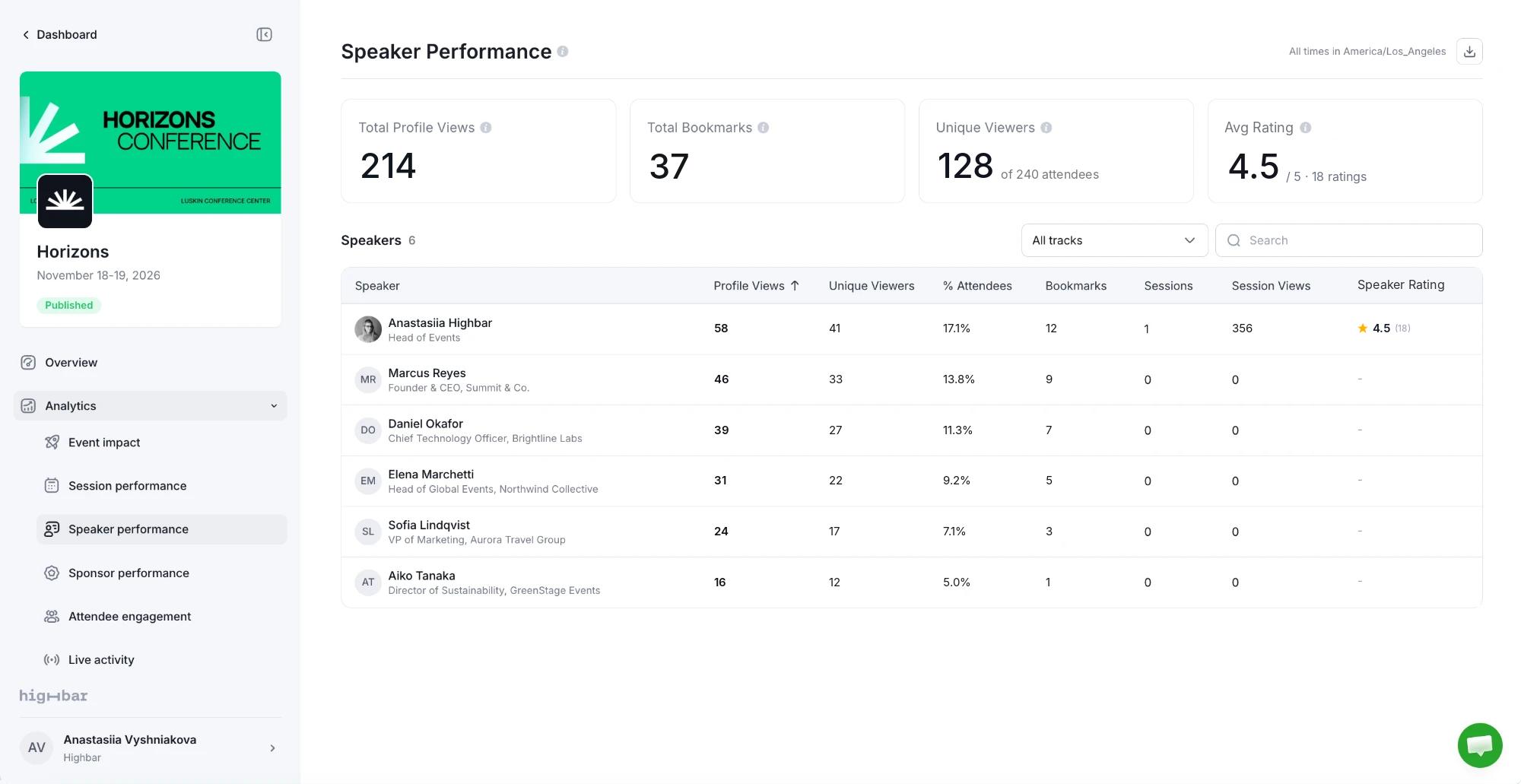
The numbers at the top
| Card | What it shows |
|---|---|
| Total Profile Views | Times attendees opened a speaker's profile. |
| Total Bookmarks | Times attendees bookmarked a speaker. |
| Unique Viewers | Attendees who opened at least one speaker's profile, each counted once, out of everyone on your attendee list. |
| Avg Rating | The average speaker rating, out of 5, across every session speakers were rated in. When no speaker can be rated, this card shows Avg Views per Speaker instead. |
The speakers table
| Column | What it shows |
|---|---|
| Profile Views | Times the speaker's profile was opened. |
| Unique Viewers | Attendees who opened it, each counted once. |
| % Attendees | Unique viewers as a share of everyone on your attendee list. |
| Bookmarks | Times attendees bookmarked the speaker. |
| Sessions | How many sessions they speak in. |
| Session Views | The views of their sessions added together. |
| Speaker Rating | Their average rating and how many ratings. Off means none of their sessions ask for speaker ratings. When no speaker can be rated, the table has no Speaker Rating column. |
Speaker ratings are optional. Attendees rate speakers as part of rating a session, when the schedule's ratings ask for it. See Collect session ratings.
Search by name, role, company or session title, filter by track, and click any column to sort.
Look at one speaker
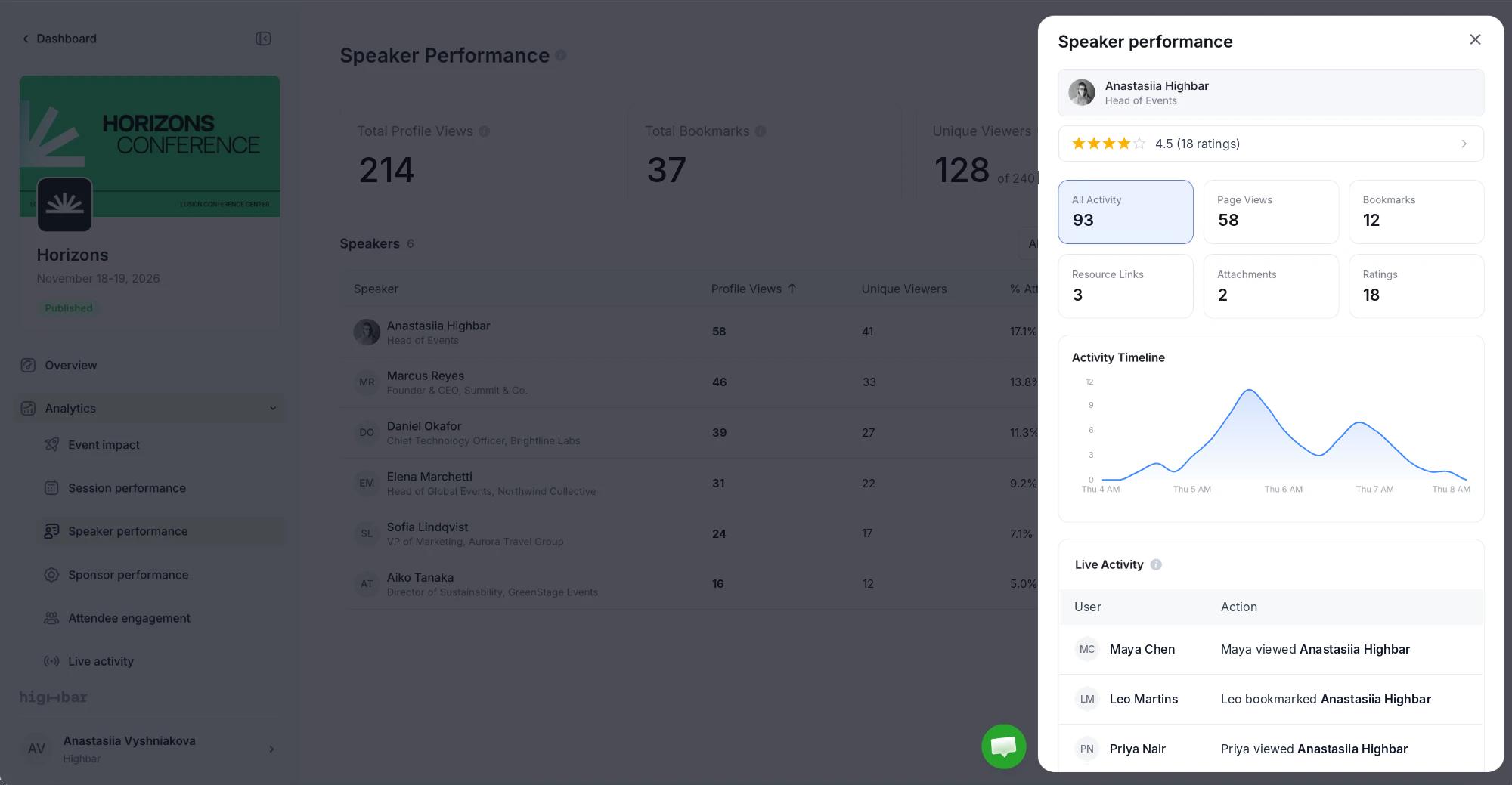
Click a speaker to open their details: their rating (click it for every rating, by session), cards for Page Views, Bookmarks, Resource Links, Attachments and Ratings, an Activity Timeline and the latest Live Activity on their profile.
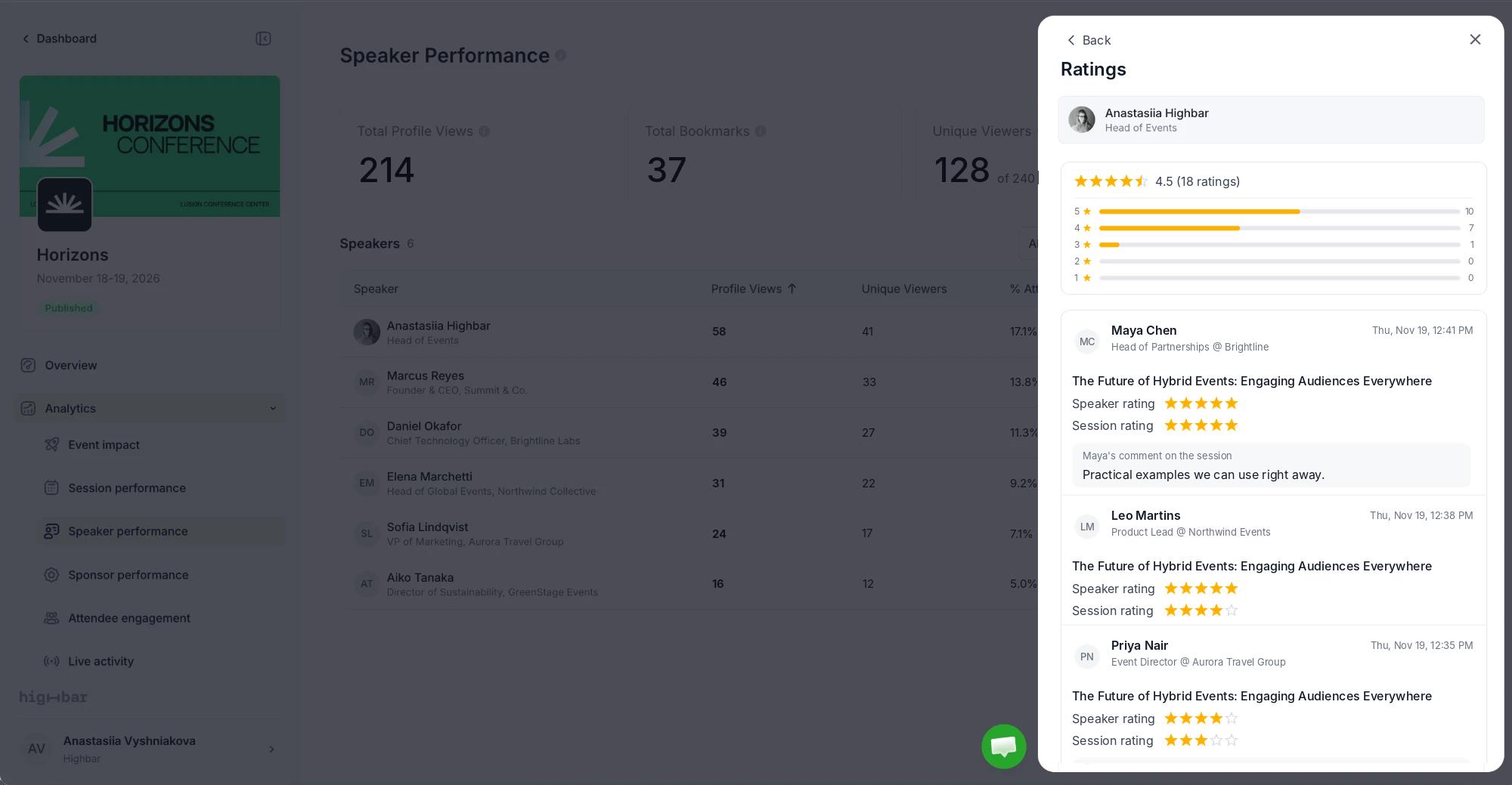
Click the rating to open Ratings: how many attendees gave each number of stars, then every rating with who gave it, when, the session, their Speaker rating and Session rating, and any comment on the session. Click Back to return.
Download
Click the download button at the top right:
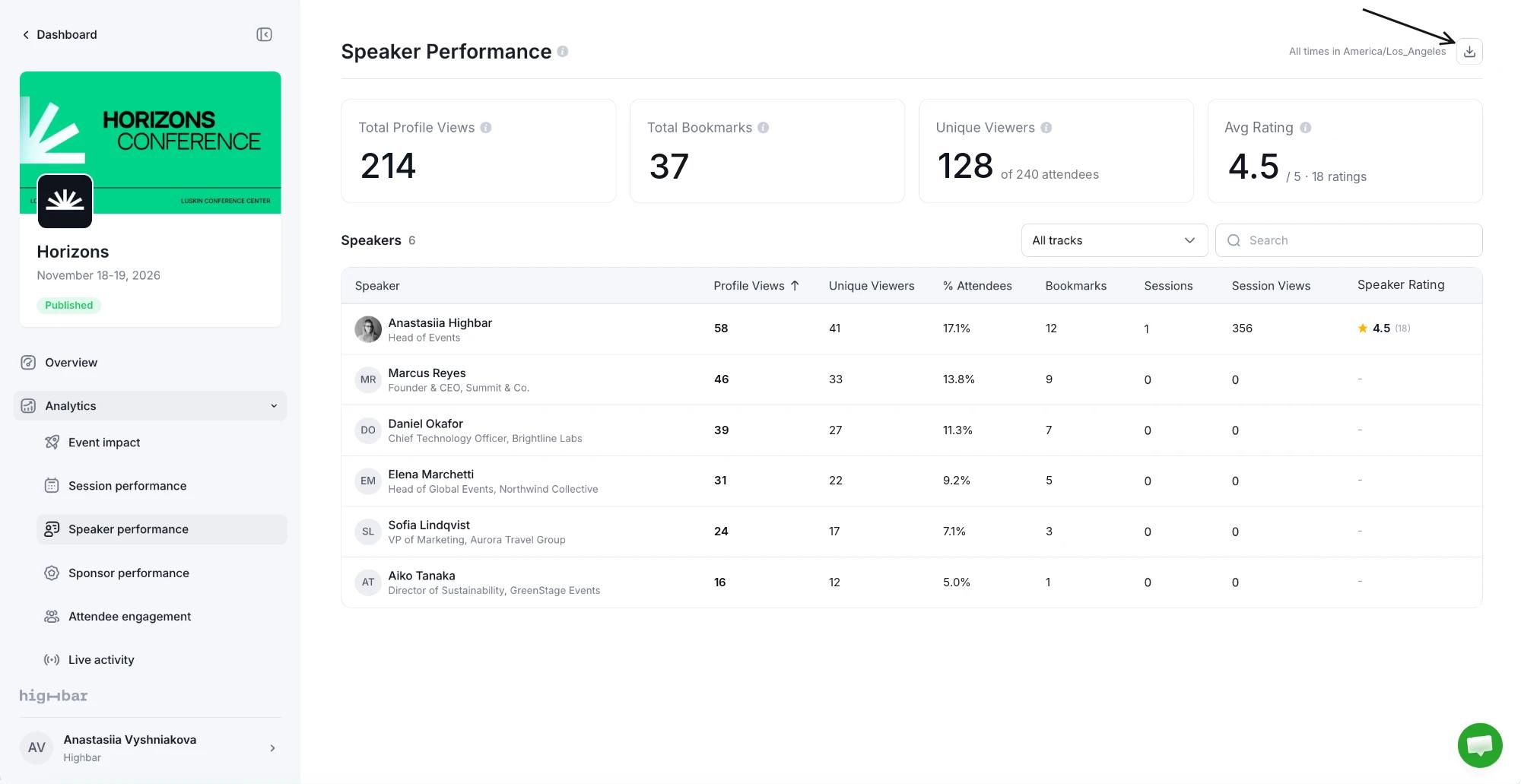
- Speakers downloads the table as a CSV, with each speaker's sessions. If you've searched or filtered, you get Speakers (filtered).
- Speaker ratings downloads every speaker rating for the whole event, with the session, the attendee and their session rating and comment.
Downloads hold up to 25,000 rows.