How engagement is measured
What Registered, App Users and Highly Engaged mean, how an attendee becomes engaged, and how these numbers relate to your bill.
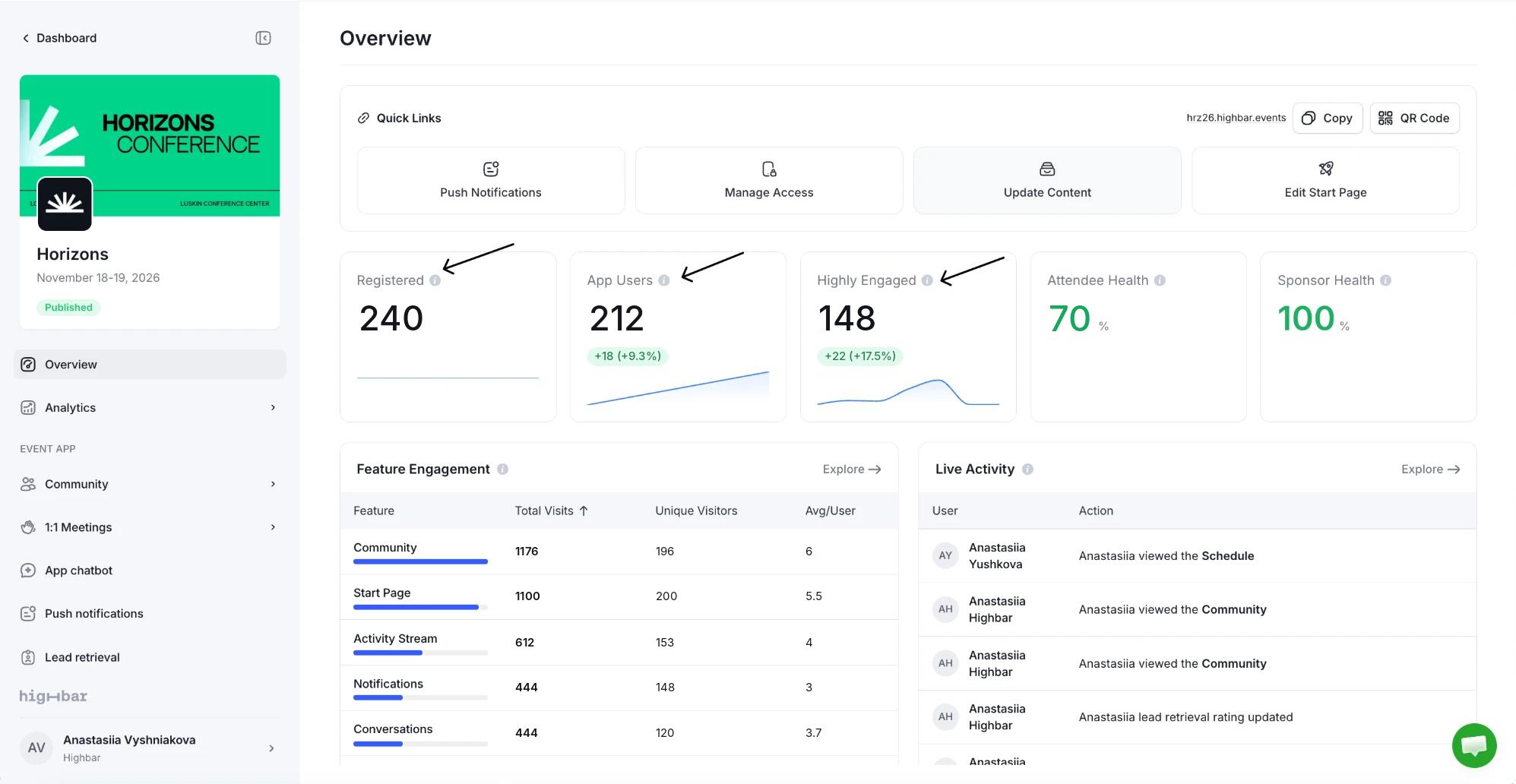
Highbar reports attendance in three steps: who is on your list, who got into the app, and who really used it. The same three numbers appear on your dashboard's event cards and at the top of the Overview and Event impact pages after launch, under slightly different names:
| Dashboard event card | Overview and Event impact | What it counts |
|---|---|---|
| Registered | Registered | Everyone on your attendee list. |
| Active | App Users | Attendees who have logged in to the app at least once. |
| Engaged | Highly Engaged | Attendees who used the app repeatedly or over time (see below). |
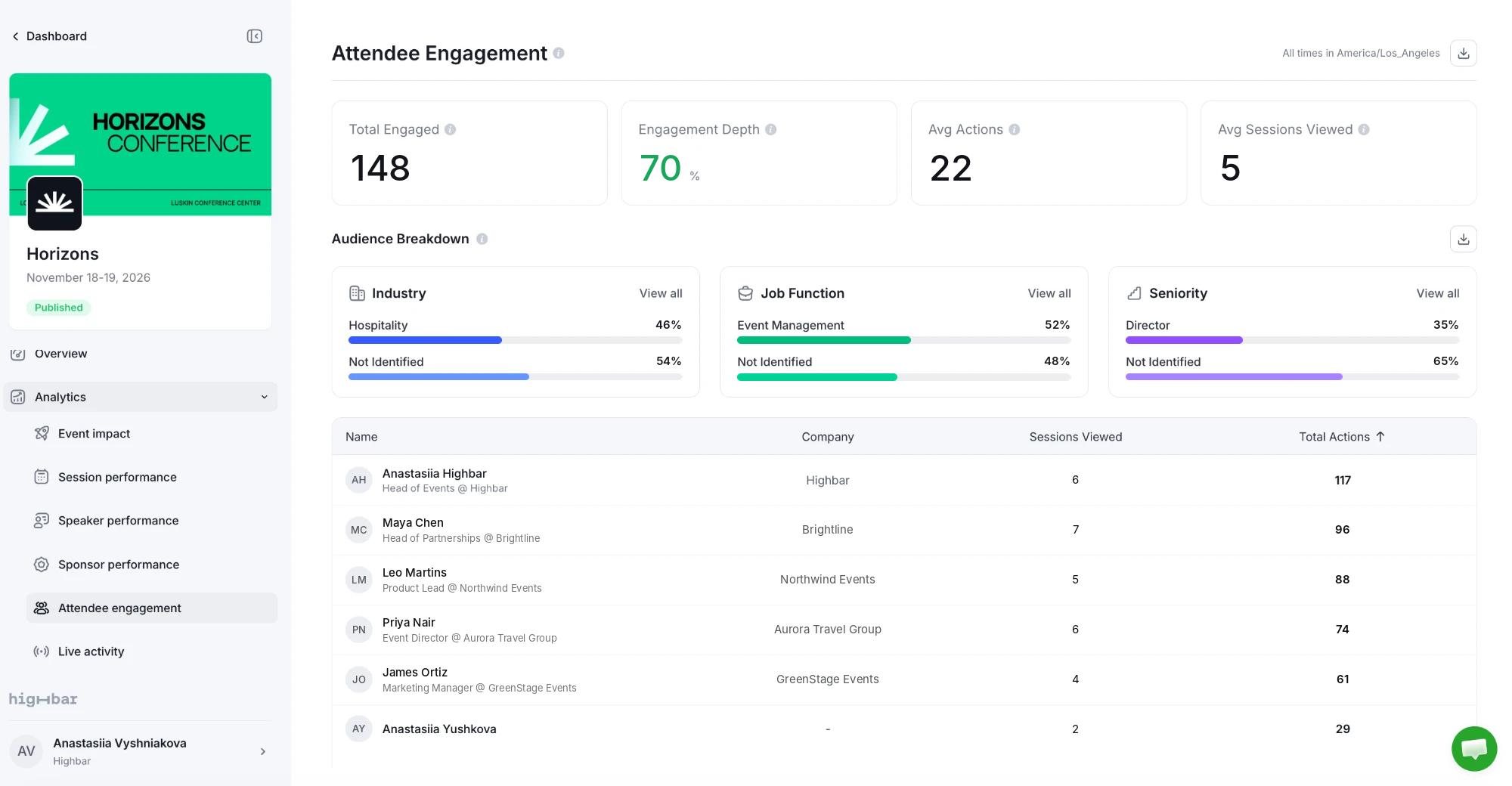
On Analytics > Attendee engagement, the engaged count is called Total Engaged, and Attendee Health (below) is called Engagement Depth.
When an attendee counts as engaged
An attendee counts as engaged once they've done either of these:
- taken 5 or more actions in the app, or
- used the app in 3 or more different hours, on any days.
Almost everything an attendee does in the app is an action: opening a session, speaker or sponsor, saving an item, asking the AI Concierge a question, posting or commenting, sending a message, scanning a QR code, requesting a meeting. Signing in is not an action, so someone who signs in once and leaves is an app user but isn't engaged. Opening a screen is, so someone who opens five screens is engaged.
Engaged attendees are what you pay for on a single-event plan. See Pricing and billing for current rates.
Health scores
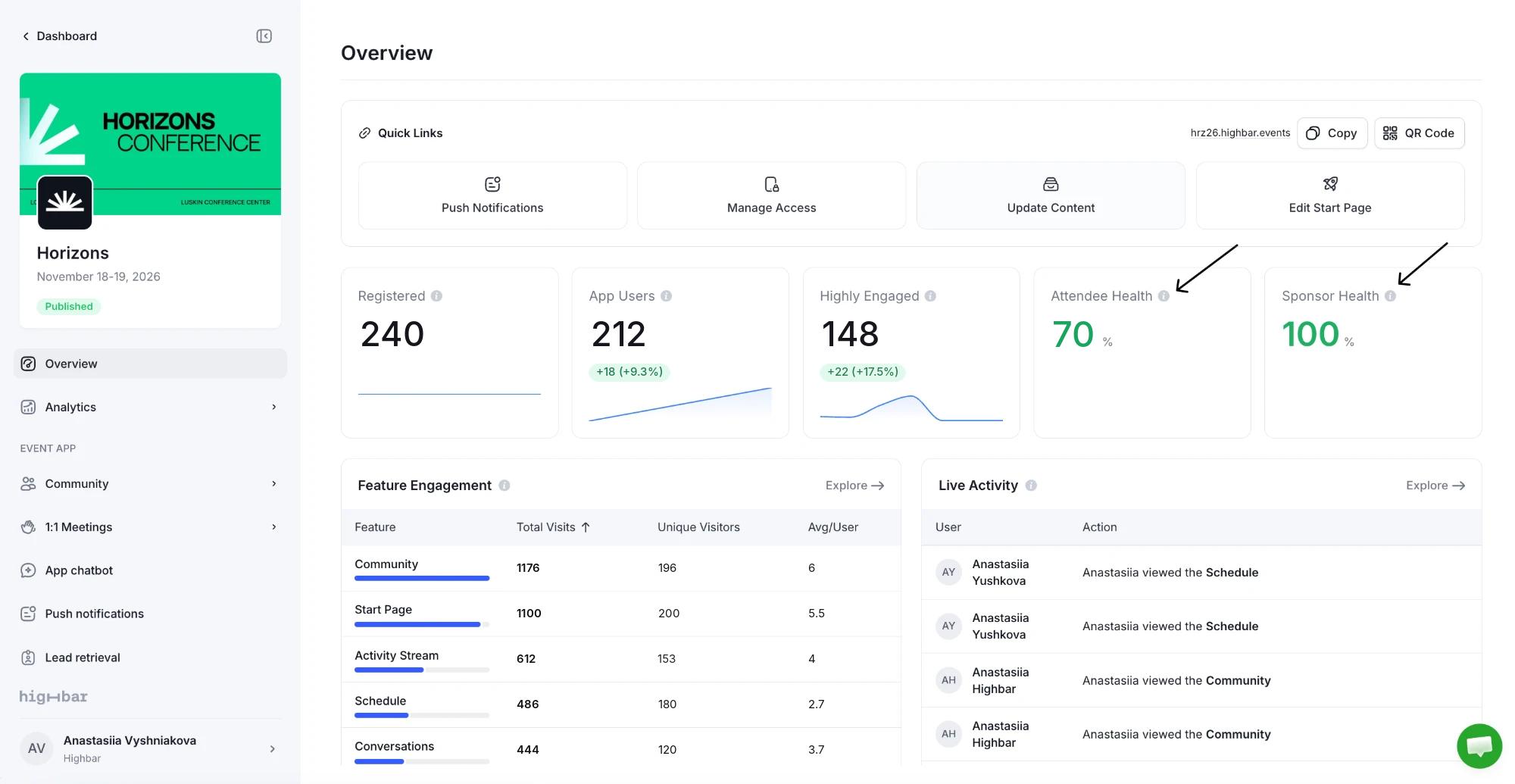
The Overview and Event impact pages add two percentages:
- Attendee Health: the share of App Users who are Highly Engaged. A low score means people are getting in but not finding a reason to come back. Push notifications, a stronger start page and well-stocked FAQs all help.
- Sponsor Health: the share of your sponsors that attendees interacted with at least once. Viewing a sponsor's profile counts, as do clicks and booth QR code scans. A low score means some sponsors are getting no attention in the app.
Raising engagement
The numbers move most when attendees have a reason to open the app during the event, not just before it:
- Share the app link early, in confirmation and reminder emails, and put the QR code on signage and badges. See Launch your app.
- Send a few well-timed push notifications on event days.
- Put the most useful things on the start page: what's on now, featured sessions and shortcuts to common questions.
- Make sure the AI Concierge can answer logistics questions (wifi, parking, registration desk) through your FAQs.
Lead retrieval
Let sponsor and exhibitor booth staff scan attendee badges in the event app, then see and export the leads they collect.
Event impact
Your whole-event dashboard, with adoption, engagement, health scores, funnels, top sessions, speakers and sponsors, searches and devices, and a full export.