Community overview
Turn the activity stream, channels, gamification, messaging and contact exchange on or off, and see how attendees are using them.
Community is where you run the social side of your event app: the event feed, topic channels, the points game, attendee-to-attendee chat and contact exchange.
You'll find Community in the event sidebar after launch, in the Event app group. Overview opens first, followed by a page for each part: Activity stream, Channels, Gamification and Messaging.
Turn features on or off
Under Capabilities, each card has a switch and, for most, a Manage button that opens its page.
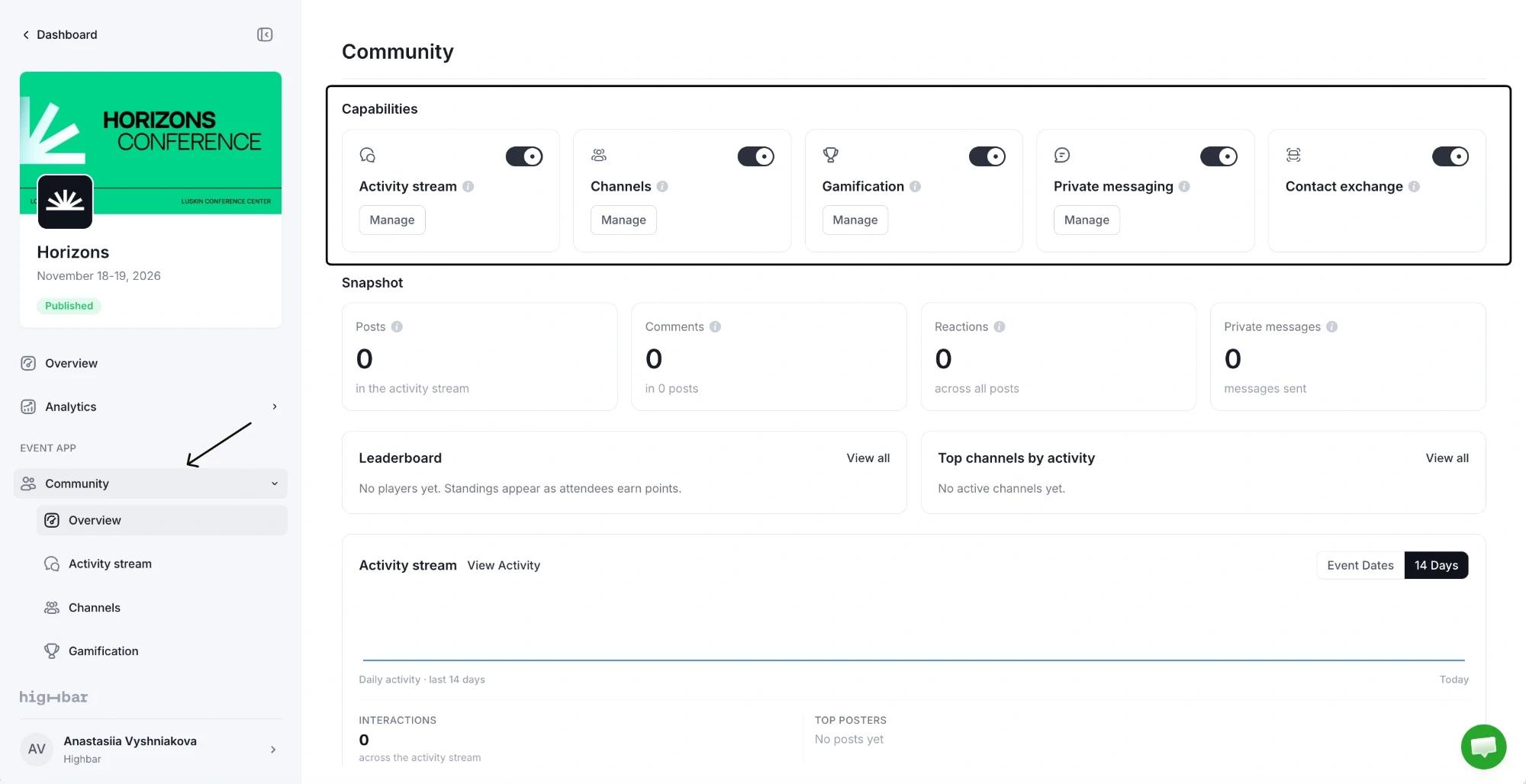
| Card | What attendees get | On for new events |
|---|---|---|
| Activity stream | An event feed where they post, comment, like and react. | Yes |
| Channels | Topic spaces inside the feed, for tracks, regions or interest groups. | No |
| Gamification | Points for scanning QR codes and being active, ranked on a leaderboard. | No |
| Private messaging | The attendee list and one-to-one chat. | Yes |
| Contact exchange | Swapping contact details by scanning each other's QR code. See Exchange contacts for how attendees do it. | No |
Turning a feature on takes effect straight away. Turning one off asks you to confirm first:
- Activity stream, Channels and Private messaging keep their posts, channels and conversations, which come back when you turn them on again.
- Gamification hides the game and leaderboard from attendees and removes its configuration: activities, point values and bonus games. Set it up again if you turn it back on.
- Private messaging also removes the attendee list from the app, not just the chat.
While a feature is off, its page shows a Disabled badge next to the title. Click it to come back here.
See how it's going
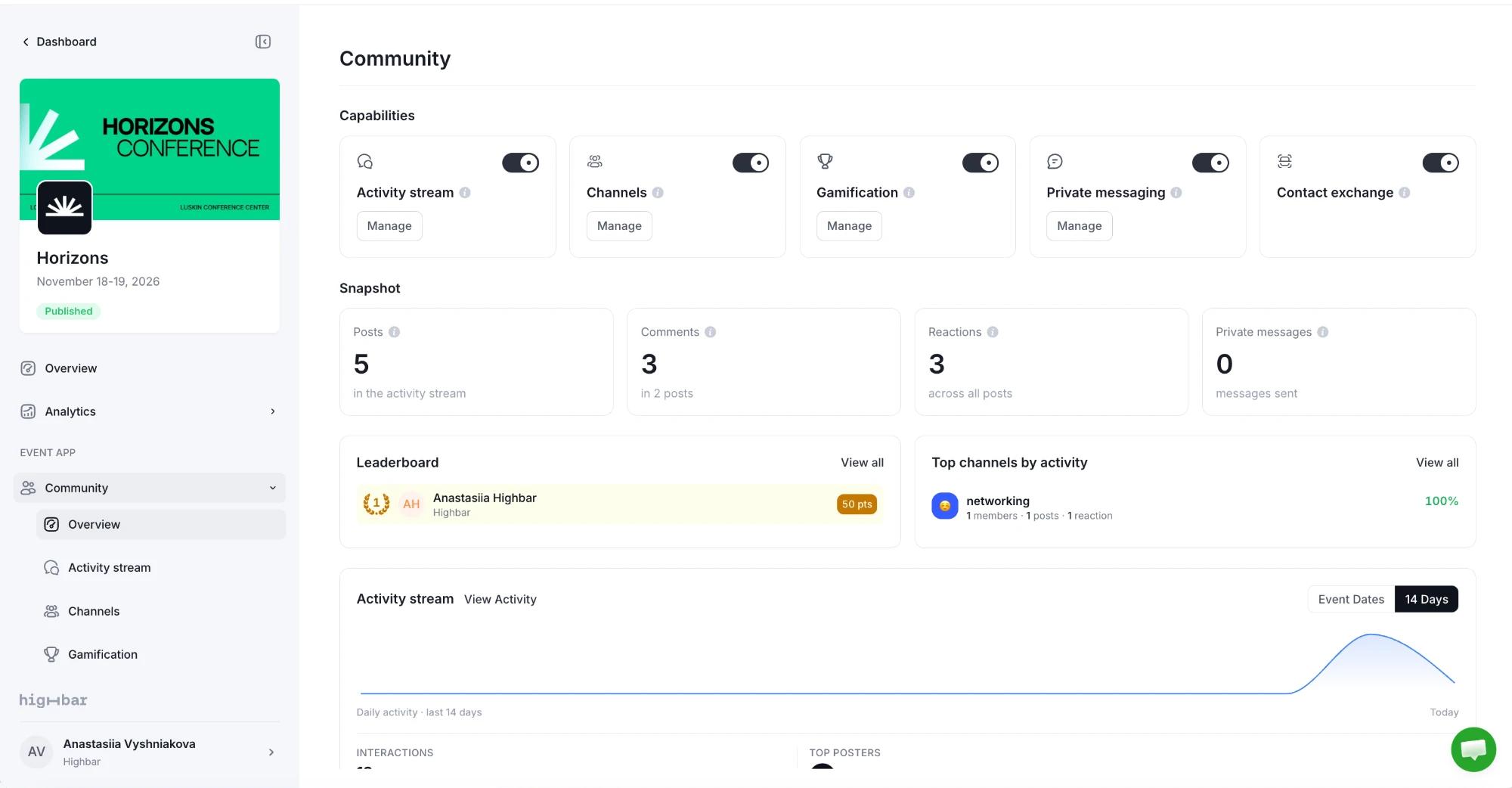
- Snapshot: Posts, Comments and Reactions in the activity stream (channels are counted on the Channels page), and Private messages sent.
- Leaderboard: the top scorers in your game. Click View all for everyone, and click a person to see how they earned their points.
- Top channels by activity: your busiest channels.
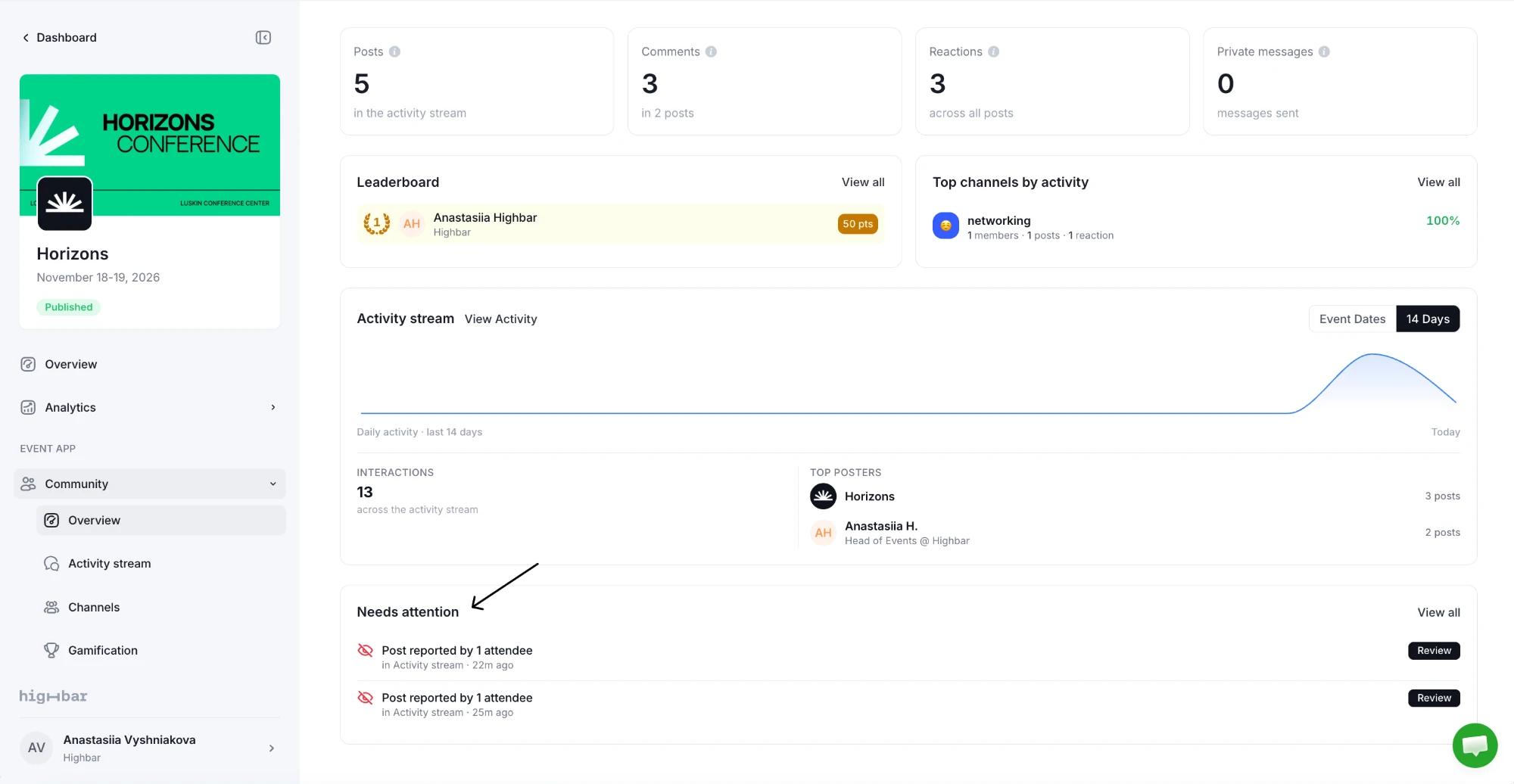
- Activity stream: daily activity during the Event Dates or the last 14 Days, total Interactions, and the Top posters.
- Needs attention: posts attendees have reported. Click Review to deal with one (see Moderate posts).
Organizers never see the content of private messages. They're encrypted and visible only to the people in the conversation.